Why Your Cell Signal Fluctuates – How Geography Affects Mobile Broadband

Why Your Cell Signal Fluctuates – How Geography Affects Mobile Broadband
Have you ever wondered why your cell connection is lightning-fast one moment and barely there the next—even when you haven’t moved far? The answer often lies in geography. Hills, buildings, forests, and even the distance to the nearest cell tower all play a bigger role than most people realize. In this article, we’ll explore how the American landscape affects your mobile broadband signal and what you can do to keep your connection strong.
Cell Signals Travel Like Light – But Face Obstacles
Cell signals move as radio waves, which behave a lot like light: they travel in straight lines and weaken when they hit obstacles. That means even small changes in terrain can make a big difference. A hill, a dense forest, or a concrete wall can all block or absorb part of the signal.
In flat regions like the Great Plains or parts of the Midwest, signals can travel long distances because there are few natural barriers. But in hilly or mountainous areas—think Appalachia or the Rockies—“shadow zones” can form where the signal simply can’t reach. That’s why your connection might drop when you drive through a valley or behind a ridge.
Læs også:


Buildings and Materials Matter
In cities, it’s not nature but architecture that challenges your signal. Concrete, steel, and energy-efficient windows can all block radio waves, making indoor reception weaker—especially in modern, well-insulated buildings. That’s why you might have full bars outside but struggle to make a call in your living room.
Many carriers now offer “Wi-Fi calling” or small signal boosters that connect to your home internet and relay the cell signal indoors. These can be a great solution if you live in an area with poor indoor coverage.
Distance to the Cell Tower Is Key
The farther you are from a cell tower, the weaker your signal becomes. Radio waves lose strength over distance, so rural areas—where towers can be miles apart—often experience slower speeds and less stable connections than cities.
Carriers are constantly expanding their networks, but geographic differences will always exist. If you live in a low-coverage area, check your carrier’s coverage maps online. They show where towers are located and which technologies (4G, 5G) are available.
Height and Open Spaces Improve Signal
A good rule of thumb: the higher and more open your location, the better your signal. That’s why your connection often improves when you move to an upper floor, climb a hill, or step away from dense buildings.
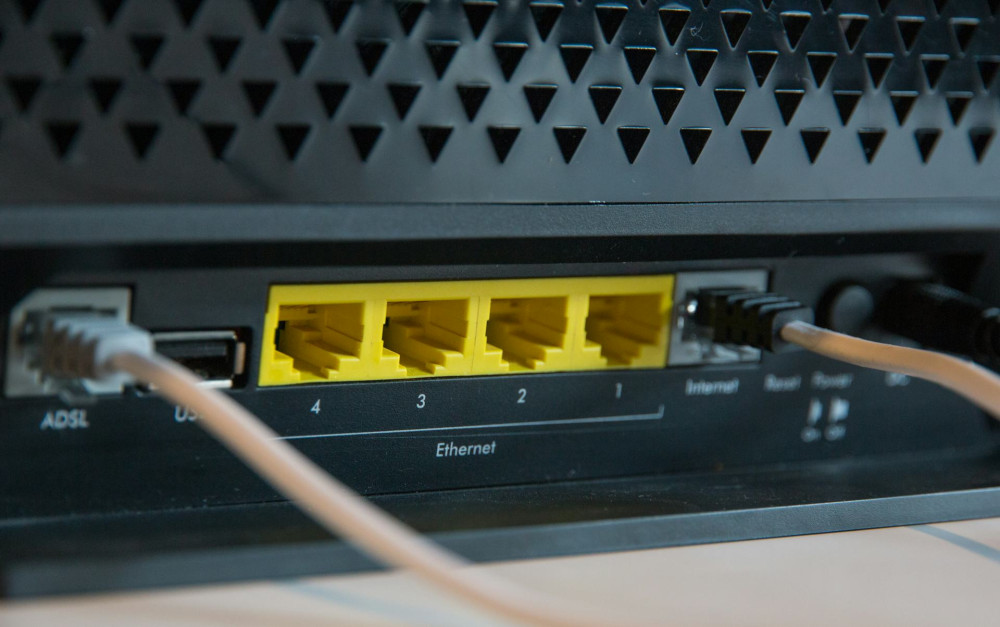
If you live in a low-lying area, try placing your router or phone near a window facing the nearest tower. Even small adjustments in placement can noticeably improve your signal strength.
Weather and Seasons Can Play a Role
While weather isn’t usually the biggest factor, heavy rain, snow, or fog can slightly weaken signals. Dense tree cover can also affect reception—especially in summer when leaves are thick. In winter, when trees are bare, signals can sometimes travel a bit farther.
How to Get the Most from Your Mobile Broadband
If your mobile broadband feels unstable, try these tips:
- Place your router high and near a window—ideally facing the nearest tower.
- Avoid basements and enclosed rooms, where signals struggle to penetrate.
- Use an external antenna if your router supports one—especially in rural areas.
- Check coverage maps and consider switching carriers if another provider has better service in your area.
- Try 5G if it’s available—it often provides more stable connections, though it requires closer proximity to towers.
Geography Sets the Limits – Technology Adapts
Even with today’s advanced networks and high-speed connections, technology can’t completely overcome the laws of nature. Geography still defines how well a signal can travel. But with the right placement, equipment, and know-how, you can make the most of your mobile broadband—whether you’re in a downtown apartment or a farmhouse miles from the nearest tower.
Læs også: