Unlock Your Smartphone’s Hidden Features: Voice Control, Screen Recording, and Sharing

Unlock Your Smartphone’s Hidden Features: Voice Control, Screen Recording, and Sharing
Most of us use our smartphones every day—for texting, taking photos, scrolling through social media, or getting work done. But many of the most useful tools built into our phones often go unnoticed. Modern smartphones come packed with features that can make daily life easier, more efficient, and even more fun. Here’s a guide to three of the most overlooked ones: voice control, screen recording, and sharing.
Voice Control – Your Personal Assistant on the Go
Voice control isn’t just for tech enthusiasts anymore. Whether you use an iPhone or an Android device, you can get your phone to perform a wide range of tasks with just your voice.
You can, for example:
- Send messages or make calls without touching the screen.
- Set alarms and reminders while your hands are busy.
- Get directions or search the web while driving.
- Control smart home devices like lights or thermostats.
To get started, activate your voice assistant—Siri on iPhone or Google Assistant on Android. Then try commands like “Call Mom,” “Set a reminder for 8 a.m.,” or “Navigate to the nearest coffee shop.” The more you use it, the better your assistant learns your habits and preferences.
A helpful tip: explore your voice control settings. You can adjust the language, choose which apps respond to voice commands, and even enable hands-free activation so you can use your voice while your phone stays in your pocket.
Læs også:



Screen Recording – Capture What’s Happening on Your Screen
Ever wanted to show a friend how to use an app or save a clip from a game? With screen recording, you can capture everything happening on your screen—with or without sound.
On both iPhone and Android, the feature is usually found in the Quick Settings or Control Center. Tap the screen recording icon, and after a short countdown, your phone will start recording. You can choose whether to include microphone audio, which is great if you want to narrate what you’re doing.
When you stop recording, the video is automatically saved to your Photos or Gallery app, where you can trim, edit, or share it. It’s a simple way to create tutorials, document technical issues for support, or record fun moments from games and apps.
Pro tip: if you record often, add the screen recording shortcut to your main control panel so you can start a new recording in seconds.
Sharing – Faster and Smarter Than You Think
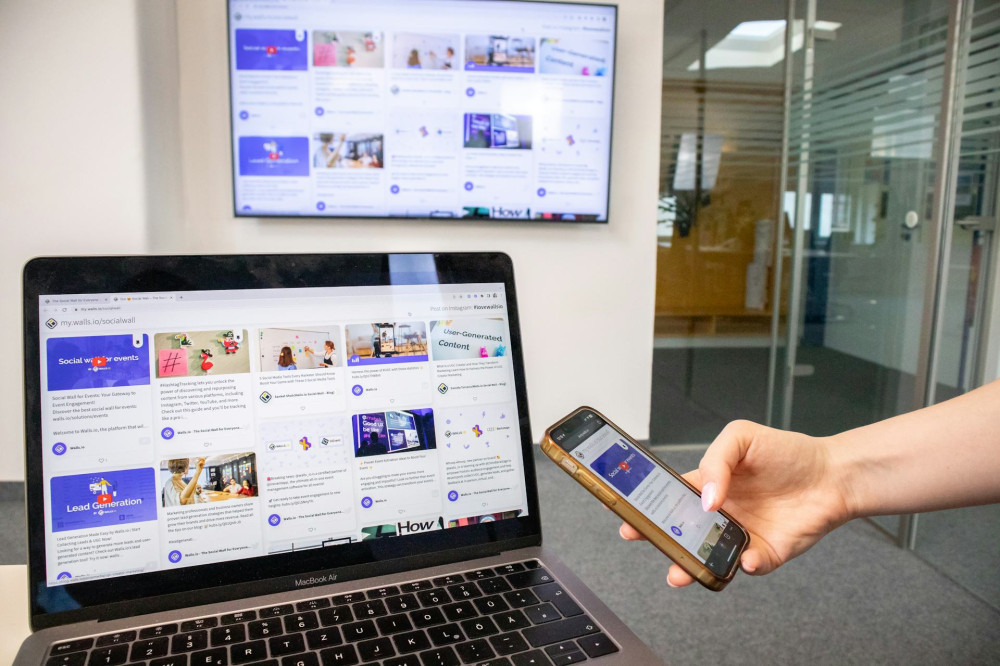
Sharing isn’t just about sending pictures through text messages. Your smartphone has several built-in ways to share content quickly and securely—with people or devices nearby.
- Share via AirDrop or Quick Share: Instantly send photos, documents, and links to another phone, tablet, or computer nearby—no internet required.
- Share your screen or files during calls: Many messaging and video apps let you show your screen so you can explain something visually.
- Share Wi-Fi access: On newer phones, you can share your Wi-Fi password with a friend using a QR code or a single tap.
These options are not only fast but also more secure than sending files through email or social media, since they often use encrypted connections.
Get More Out of Your Smartphone Every Day
Once you start using voice control, screen recording, and sharing regularly, you’ll quickly see how much time and effort they can save. It’s not about spending more time on your phone—it’s about using it smarter.
Take a few minutes to explore your settings and see what your model offers. Many manufacturers add new features through software updates, so keeping your phone up to date can unlock even more possibilities.
Your smartphone is more than just a communication tool—it’s a powerful piece of technology that can help you organize, document, and share your life in new and creative ways.
Læs også: